Ever wonder how top-performing sales teams never miss a lead? The secret lies in smart CRM lead tracking. It’s not just about collecting names—it’s about turning prospects into profits with precision, automation, and insight.
What Is CRM Lead Tracking and Why It Matters

CRM lead tracking is the backbone of modern sales operations. It refers to the systematic process of capturing, monitoring, and managing potential customers (leads) through every stage of the sales funnel using a Customer Relationship Management (CRM) system. This process ensures no opportunity slips through the cracks and empowers sales teams with real-time data to make smarter decisions.


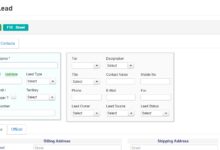

The Evolution of Lead Tracking
Lead tracking wasn’t always digital. In the past, sales reps relied on paper ledgers, Rolodexes, and scattered spreadsheets. These methods were error-prone, inefficient, and nearly impossible to scale. With the rise of CRM systems in the 1990s—pioneered by companies like Salesforce—the process became automated, centralized, and far more effective.
- Pre-CRM era: Manual entry, high data loss, poor follow-up
- Early CRM: Basic contact management and call logging
- Modern CRM: AI-powered insights, automation, omnichannel tracking
“CRM isn’t just a tool—it’s a strategy. Companies using CRM lead tracking close 29% more deals.” — Nucleus Research
How CRM Lead Tracking Fuels Business Growth
Effective CRM lead tracking doesn’t just organize data—it drives revenue. By tracking every interaction, from a website form submission to a follow-up call, businesses gain visibility into what’s working and what’s not. This leads to faster conversions, higher customer satisfaction, and improved forecasting accuracy.
- Increases conversion rates by up to 300% (Salesforce)
- Reduces sales cycle length by streamlining follow-ups
- Improves team accountability with transparent pipelines
Core Components of Effective CRM Lead Tracking
To get the most out of CRM lead tracking, you need to understand its foundational elements. These components work together to create a seamless flow from lead capture to conversion.
Lead Capture Mechanisms
The first step in CRM lead tracking is capturing leads from multiple sources. Modern CRMs integrate with websites, social media, email campaigns, and even offline events to gather prospect information automatically.
- Web forms with auto-sync to CRM (e.g., HubSpot, Zoho)
- Social media lead ads (Facebook, LinkedIn)
- Email-to-CRM integration for inbound inquiries
- QR codes and offline event scanners
For example, HubSpot CRM offers free tools that automatically capture leads from website forms and track visitor behavior.
Lead Scoring and Prioritization
Not all leads are created equal. CRM lead tracking systems use lead scoring to rank prospects based on their behavior, demographics, and engagement level. This helps sales teams focus on high-potential leads first.
- Behavioral scoring: Page visits, email opens, content downloads
- Demographic scoring: Job title, company size, industry
- Automated scoring models that update in real time
For instance, a lead who downloads a pricing sheet and visits the demo page multiple times gets a higher score than someone who only signed up for a newsletter.
Lead Assignment and Workflow Automation
Once leads are captured and scored, they need to be assigned to the right sales reps. CRM lead tracking automates this process using rules-based workflows.
- Round-robin assignment for fair distribution
- Geographic or product-based routing
- Automated email sequences and task reminders
Tools like Salesforce Sales Cloud allow businesses to set up complex workflows that trigger actions based on lead behavior, ensuring timely follow-ups.
Top 7 Benefits of CRM Lead Tracking
Implementing CRM lead tracking isn’t just a tech upgrade—it’s a strategic move that transforms how your sales team operates. Here are seven powerful benefits that make it indispensable.
1. Increased Sales Efficiency
CRM lead tracking eliminates manual data entry and redundant tasks. Sales reps spend less time searching for information and more time selling.
- Automated logging of calls, emails, and meetings
- Centralized dashboard for all lead interactions
- Reduced administrative workload by up to 40%
2. Improved Lead Conversion Rates
With better visibility into lead behavior and engagement, sales teams can personalize their outreach and close deals faster.
- Timely follow-ups based on lead activity
- Personalized messaging using CRM data
- Higher win rates due to targeted nurturing
“Companies using CRM see a 41% increase in lead conversion rates.” — SuperOffice
3. Enhanced Customer Insights
CRM lead tracking builds a 360-degree view of each prospect. This includes their communication history, preferences, pain points, and buying signals.
- Track all touchpoints across email, phone, chat, and social
- Identify buying intent through behavioral patterns
- Use insights to tailor sales pitches and offers
4. Accurate Sales Forecasting
With real-time data on lead progression, managers can predict revenue more accurately and adjust strategies proactively.
- Visual pipeline reports showing lead stages
- Forecast models based on historical conversion rates
- Early warning for stalled deals
5. Better Team Collaboration
CRM lead tracking breaks down silos between sales, marketing, and customer service teams.
- Shared access to lead notes and history
- Internal commenting and @mentions
- Alignment on lead handoff processes
6. Scalability and Consistency
As your business grows, CRM lead tracking ensures your sales process remains consistent and repeatable.
- Standardized lead management workflows
- Onboarding new reps becomes faster
- Processes remain intact despite team changes
7. Data-Driven Decision Making
CRM lead tracking provides actionable analytics that help refine marketing campaigns and sales strategies.
- Identify top-performing lead sources
- Optimize email open and response rates
- Measure ROI of marketing efforts
How CRM Lead Tracking Integrates with Marketing Automation
CRM lead tracking doesn’t operate in isolation. When integrated with marketing automation, it creates a powerful engine for lead nurturing and conversion.
Synchronizing Marketing and Sales Data
One of the biggest challenges in lead management is the gap between marketing and sales. CRM lead tracking bridges this gap by syncing data from both departments.
- Marketing sends MQLs (Marketing Qualified Leads) directly to CRM
- Sales receives enriched lead profiles with engagement history
- Feedback loop allows marketing to refine targeting
Platforms like Marketo and Pardot integrate seamlessly with CRMs to ensure smooth handoffs.
Automated Lead Nurturing Campaigns
CRM lead tracking enables automated drip campaigns that nurture leads based on their behavior.
- Send targeted emails when a lead visits a pricing page
- Trigger SMS or chatbot messages after webinar attendance
- Pause nurturing if a lead becomes inactive
For example, if a lead downloads an eBook, the CRM can automatically enroll them in a 5-day email sequence about related solutions.
Measuring Campaign Effectiveness
With CRM lead tracking, you can trace every sale back to its original marketing campaign.
- UTM parameters track lead source
- Conversion reports show ROI by channel
- A/B testing of messaging and offers
Choosing the Right CRM for Lead Tracking
Not all CRMs are built for effective lead tracking. Choosing the right one depends on your business size, industry, and sales process complexity.
Key Features to Look For
When evaluating CRM systems for lead tracking, focus on these essential capabilities:
- Automated lead capture from multiple channels
- Customizable lead scoring and stages
- Workflow automation and task reminders
- Integration with email, calendar, and marketing tools
- Mobile access for on-the-go sales teams
Top CRM Platforms for Lead Tracking
Several CRM platforms stand out for their robust lead tracking features:
- Salesforce: Industry leader with advanced automation and AI (Einstein)
- HubSpot CRM: User-friendly, free tier, excellent for small to mid-sized businesses
- Zoho CRM: Affordable, highly customizable, strong workflow engine
- Pipedrive: Visual pipeline focus, ideal for sales-driven teams
- Microsoft Dynamics 365: Deep integration with Office 365 and enterprise systems
Explore Zoho CRM for a cost-effective solution with powerful lead tracking automation.
Implementation Best Practices
Even the best CRM will fail without proper setup. Follow these best practices:
- Define your lead lifecycle stages clearly
- Train your team on data entry and CRM usage
- Start with core features, then expand
- Regularly audit data quality and hygiene
- Align CRM fields with your sales process
Common Challenges in CRM Lead Tracking and How to Overcome Them
Despite its benefits, CRM lead tracking can face obstacles. Recognizing and addressing these early ensures long-term success.
Poor Data Quality
Incomplete or inaccurate data undermines lead tracking. Duplicate entries, missing fields, and outdated info reduce effectiveness.
- Solution: Use data validation rules and deduplication tools
- Implement mandatory fields for key information
- Schedule regular data cleanup sessions
Low User Adoption
If sales reps don’t use the CRM consistently, lead tracking breaks down.
- Solution: Involve the team in CRM selection
- Provide hands-on training and ongoing support
- Link CRM usage to performance metrics
Lack of Integration
When CRM doesn’t connect with email, phone, or marketing tools, data gaps occur.
- Solution: Choose a CRM with strong API and integration marketplace
- Use tools like Zapier for custom integrations
- Ensure real-time sync across platforms
Future Trends in CRM Lead Tracking
The world of CRM lead tracking is evolving fast. Emerging technologies are reshaping how businesses identify, engage, and convert leads.
AI and Predictive Analytics
Artificial Intelligence is making CRM lead tracking smarter. AI can predict which leads are most likely to convert, suggest optimal follow-up times, and even draft personalized emails.
- Salesforce Einstein predicts lead conversion probability
- HubSpot uses AI to recommend next-best actions
- Predictive lead scoring replaces manual rules
Conversational CRM and Chatbots
Chatbots on websites and social media now capture leads 24/7 and feed them directly into CRM systems.
- Qualify leads through automated conversations
- Book meetings via calendar integration
- Seamless handoff to human reps when needed
Mobile-First Lead Tracking
Sales teams are increasingly mobile. Modern CRMs offer robust mobile apps that allow real-time updates, voice-to-text notes, and offline access.
- Update lead status from client meetings
- Scan business cards directly into CRM
- Receive push notifications for urgent leads
Real-World Examples of CRM Lead Tracking Success
Theory is great, but real-world results speak louder. Here are two case studies showing the power of CRM lead tracking.
Case Study 1: SaaS Startup Boosts Conversions by 65%
A B2B SaaS company struggled with lost leads and inconsistent follow-ups. After implementing HubSpot CRM with automated lead scoring and email sequences, they saw:
- 65% increase in lead-to-customer conversion
- 40% reduction in sales cycle length
- Improved marketing-sales alignment
Case Study 2: Real Estate Agency Scales Lead Management
A mid-sized real estate agency used spreadsheets to track property inquiries. Switching to Zoho CRM with mobile integration allowed agents to log leads instantly from open houses. Results included:
- 3x more leads captured per month
- 25% higher client retention
- Better follow-up timing with automated reminders
How to Get Started with CRM Lead Tracking
Ready to implement CRM lead tracking? Follow this step-by-step guide to get started on the right foot.
Step 1: Map Your Lead Journey
Define every stage a lead goes through—from first contact to closed deal. Common stages include:
- Lead (new inquiry)
- Qualified Lead
- Proposal Sent
- Negotiation
- Closed-Won or Closed-Lost
Step 2: Choose the Right CRM
Based on your needs, budget, and team size, select a CRM that supports your lead tracking goals. Start with free trials to test usability.
Step 3: Integrate Your Tools
Connect your CRM to email, website forms, phone system, and marketing platforms. Ensure data flows automatically.
Step 4: Train Your Team
Conduct hands-on training sessions. Focus on daily usage, data entry, and reporting.
Step 5: Monitor and Optimize
Review CRM reports weekly. Look for bottlenecks, low conversion stages, and data quality issues. Continuously refine your process.
What is CRM lead tracking?
CRM lead tracking is the process of using a Customer Relationship Management system to capture, monitor, and manage potential customers as they move through the sales funnel. It helps businesses improve conversion rates, streamline follow-ups, and gain insights into sales performance.
How does CRM improve lead management?
CRM improves lead management by centralizing lead data, automating follow-ups, enabling lead scoring, and providing real-time analytics. This leads to faster responses, better team collaboration, and higher conversion rates.
Which CRM is best for lead tracking?
The best CRM for lead tracking depends on your needs. HubSpot CRM is great for small businesses, Salesforce for enterprises, Zoho CRM for affordability, and Pipedrive for sales-focused teams. Look for automation, integrations, and lead scoring features.
Can CRM track leads from social media?
Yes, modern CRMs can track leads from social media platforms like LinkedIn, Facebook, and Twitter. Tools like LinkedIn Lead Gen Forms and Facebook Pixel integrate with CRMs to capture and route leads automatically.
How do you automate lead tracking in CRM?
You can automate lead tracking by setting up rules for lead capture, scoring, assignment, and follow-up. Use workflows to send emails, assign tasks, and update lead stages based on user behavior or time triggers.
CRM lead tracking is no longer optional—it’s essential for any business serious about growth. From capturing the first inquiry to closing the deal, a well-implemented CRM system brings clarity, efficiency, and scalability to your sales process. By leveraging automation, data insights, and integration, you can turn every lead into a potential customer. The future of sales is not just digital—it’s intelligent, connected, and driven by CRM lead tracking.
Further Reading:
